Deployment
We will be deploying our website using GitHub Pages. You can use this for free if your repo is public. Private repos can only be deployed with a GitHub PRO account.
GitHub Pages can be used to host any static website.
The Official Deployment Documentation is a great explanation on how to set this up. It also lists alternative deployment methods.
Docusaurus Config File
First, we will have to change the links in the docusaurus config file.
// @ts-check
// `@type` JSDoc annotations allow editor autocompletion and type checking
// (when paired with `@ts-check`).
// There are various equivalent ways to declare your Docusaurus config.
// See: https://docusaurus.io/docs/api/docusaurus-config

import {themes as prismThemes} from 'prism-react-renderer';

// This runs in Node.js - Don't use client-side code here (browser APIs, JSX...)

/** @type {import('@docusaurus/types').Config} */

const config = {
  title: '4D Method',
  tagline: 'Documentation made beautiful',
  favicon: 'img/favicon.ico',

  // Set the production url of your site here
  url: 'https://jim-kerver.github.io',

  // Set the /<baseUrl>/ pathname under which your site is served
  // For GitHub pages deployment, it is often '/<projectName>/'
  baseUrl: '/4DMethodDocs/',


  // GitHub pages deployment config.
  // If you aren't using GitHub pages, you don't need these.
  organizationName: 'Jim-Kerver', // Usually your GitHub org/user name.
  projectName: '4DMethodDocs', // Usually your repo name.
  deploymentBranch: 'gh-pages',
  trailingSlash: false,
Deploy from command line
run the following command:
$ GIT_USER=<Your GitHub username> npm run deploy
You might get a popup to login to GitHub if this is your first time.
This action does not seem to work using the Windows terminal/powershell. Using Git Bash is advised.
When the command has finished, your website should be up. Follow the link in the terminal to see it!
GitHub Pages settings
After deployment, branch gh-pages should have been automatically created on github. Also, the GitHub pages settings should be set correctly. It should look a little something like this:
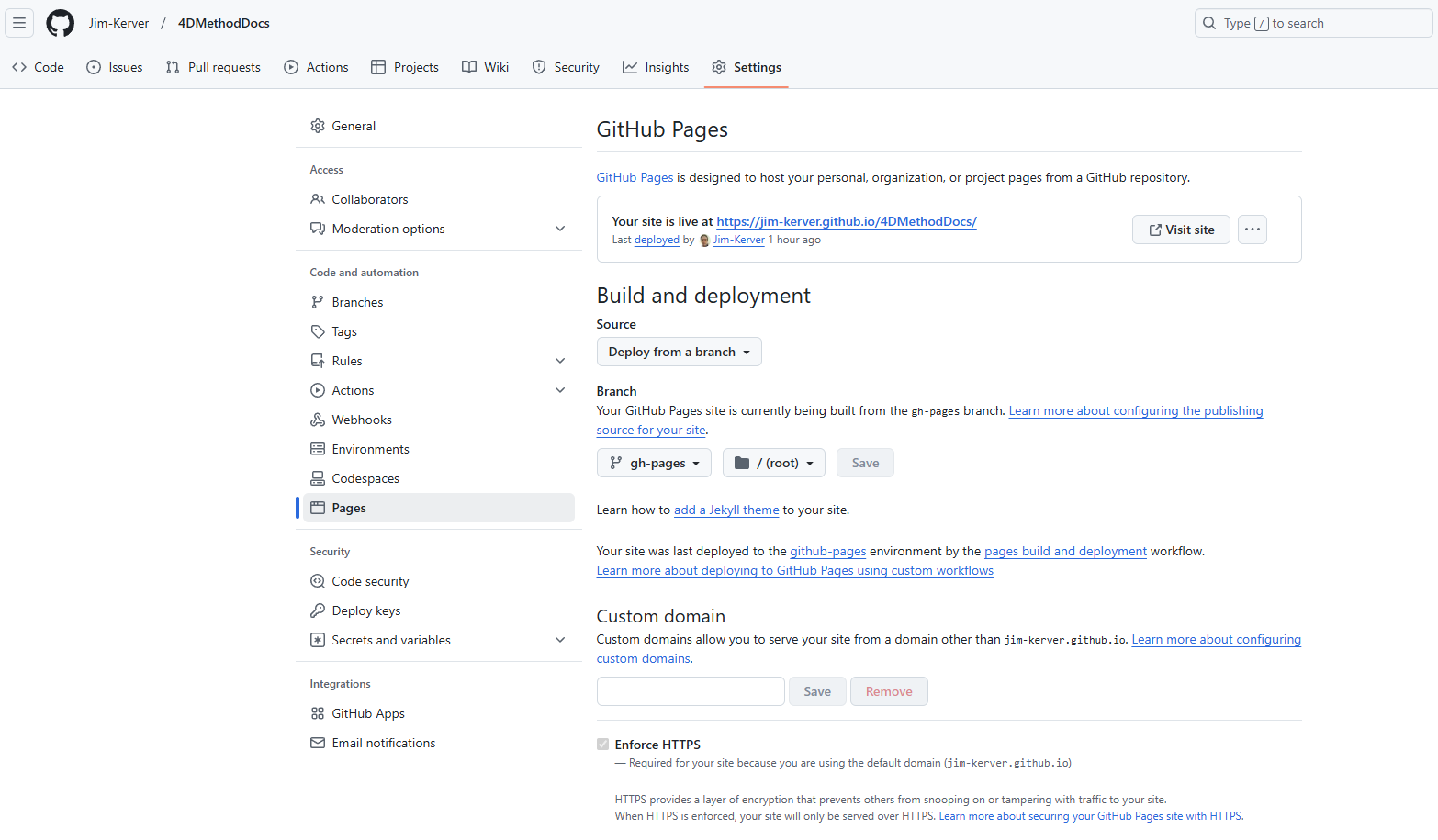
In case you want to use your custom domain for GitHub Pages, create a CNAME file in the static directory. Anything within the static directory will be copied to the root of the build directory for deployment. When using a custom domain, you should be able to move back from baseUrl: '/projectName/' to baseUrl: '/', and also set your url to your custom domain.
You may refer to GitHub Pages' documentation User, Organization, and Project Pages for more details.